Heimdall Read: Transform your text to actionable data
TLDR; Heimdall Read alpha release enables you to convert your text based data into raw data that can be used for various purposes like modeling or visualization.
Heimdall Read
We announced Heimdall ML's latest project initiative Ymir in last week's blog post. In summary, we will be rolling out 4 new product lines to help both strengthen Heimdall's core ML engine but also to help bring services that will enable Data Scientists to quickly get structured, tabular data from unstructured sources.
We are very excited to announce the alpha build of Heimdall Read. We worked tirelessly to bring this future to you all and we hope you enjoy what it can do! Here is a quick summary of its current capabilities:
- Convert text into tabular data
- Extract the sentiment of a particular text and give it a compound score.
- Calculate basic text based statistics like word count, sentence count, etc.
- Calculate english grammar based statistics like part of speech counts (verbs, nouns etc.)
- Calculate word frequencies to build word clouds
There are currently two ways to interact with Heimdall Read - through our user interface or through API. We are thrilled to offer API access to our community because we think it will be a game-changer for any data driven team.
Extracting Value from App Reviews
Today we are going to spend some time showing you how you can leverage the Heimdall Read API to generate value. A lot of business value is hidden in customer reviews. Reading reviews to extract what customers love or hate can be incredibly tough.
For example, say you are an app developer who recently published something on an app store. There are hundreds of reviews from your loyal customers but you don't have the manpower to understand these reviews. You may also want to model the relationship between the reviews and the actual rating that your customer give.
Instagram Thread Review Data
Today we are going to dive into a real-world example of reviews of the new Threads app build by Meta's Instagram. Let's run over to Kaggle to download the dataset with the reviews.
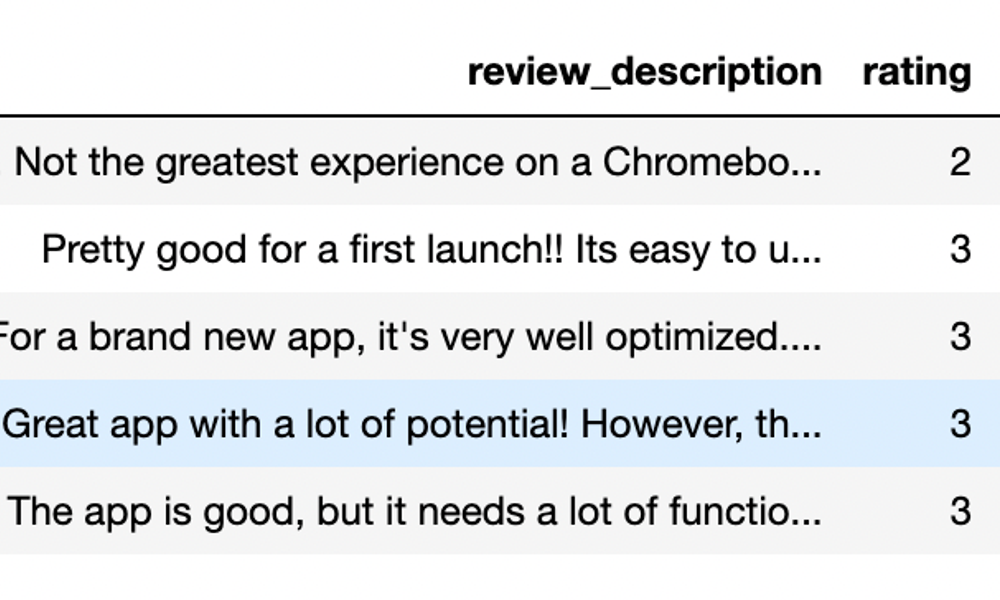
At a high level, this dataset has 32,910 reviews along with the date they were posted, the source, and the rating of the review. It's very difficult to do much with this data, partly because it's fairly large but also it's in text form - which is not tabular enough for a machine learning model or any analytics platform to understand.
This is where Heimdall Read comes to the rescue!
Configuring Heimdall Read
Once we are registered for an account with Heimdall ML, we can head over the the Heimdall Read page. Once we get there, we want to make sure that we enable API access for Heimdall Read. We can "Configure API" and click enable to get our API key. After we save our key, we can get started on interacting with the API.
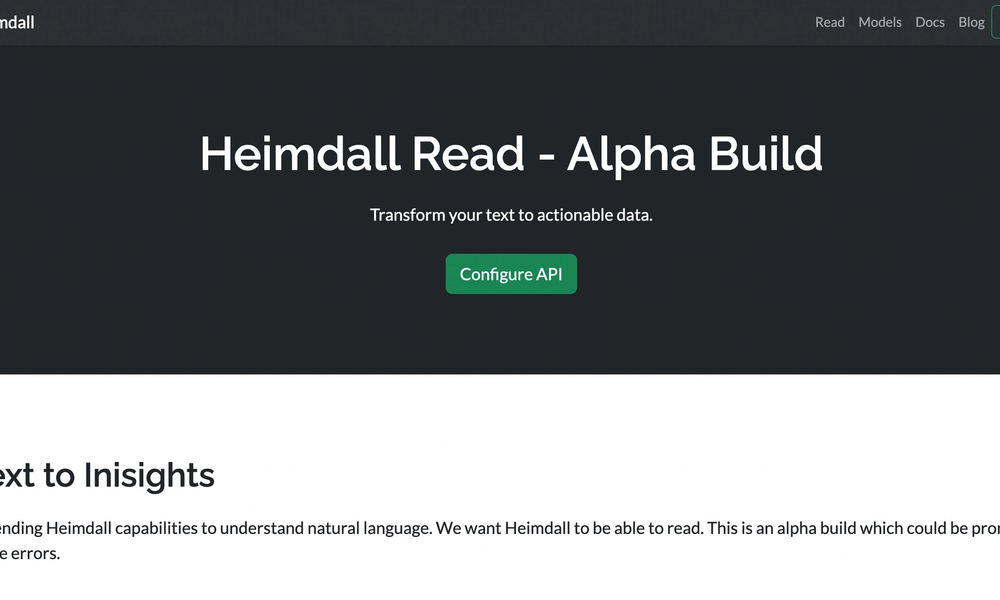
Before we write any code, we want to first make sure to head over to the Documentation page to look at the API reference for the Heimdall Read API. This will show us what headers and request body elements we will have to send in order to interact with Heimdall Read.
Based on the documentation, we will have to send our API key along with our user name in the request header and the actual text that we want to analyze in the request body.
We are now ready to start writing our python code to extract insights from our reviews data!
Data Magic with Heimdall Read
We are going to use a Jupyter notebook environment in order to work with our dataset. Feel free to use any python environment to get the insights that you need! We recommend using Jupyter as part of the Anaconda distribution or a Google Collab Notebook.
Lets get started by importing the necessary packages
import pandas as pd
import requests- Pandas library will help us with data wrangling
- Requests library will help us connect to Heimdall Read
Now we want to go ahead and read in our data set from Kaggle. Make sure that you provide the path where you have saved the Threads dataset. We will read in the csv data and look at the first 5 rows.
df = pd.read_csv("~/your-path/threads_reviews.csv")
df.head()
This dataframe has 32,910 rows and Heimdall takes about 60 milliseconds to respond to each request. Heimdall is very well capable of handling this workload but for the sake of time, we will just look at the first 1000 rows.
df = df.head(1000)Now that we have our data in a dataframe format, let's go ahead and set up our Heimdall endpoint. We will point to the Heimdall Read endpoint and add the necessary headers. Please note that your x-username & x-api-key will be unique.
api_url = "https://read.heimdallapp.org/read/v1/api/process"
headers = {
    "Content-Type": "application/json",
    "x-username": "YOUR-USERNAME",
    "x-api-key": "YOUR-API-KEY"
}
We also want to make sure that we create new columns to store the response that we receive from Heimdall. We will go ahead and create new columns with nothing in them with the proper column names.
response_variables = ["length", "word_count", "oov_ratio", "oov_ratio_2", "sentence_count", "avg_word_length",
                     "avg_sentence_length", "noun_count", "verb_count", "adjective_count", "adverb_count",
                     "pronoun_count", "stopword_count", "tfidf_top1", "tfidf_top2", "tfidf_top3", "sentiment",
                     "compound_sentiment_score"]

# Create new columns for each response variable
for var in response_variables:
    df[var] = ""

df.head()
Now we are ready for Heimdall Read to go on auto-pilot to extract the information we need! So let's break down whats happening in the below code.
- First, we set up a for loop to iterate through all of the rows of our Dataframe
- Second, we create a request body payload called "text" as per the Heimdall Read documentation which has the "review_description" column from each row we iterate through
- Third, we will make a request to the Heimdall Read API with the headers we defined earlier and the request payload. The headers will remain the same for every iteration but the request payload will change so that Heimdall can analyze each review.
- Lastly, if we get a good response (200) from Heimdall, we save the data to the proper columns we defined. If not, we will just print a generic error.
# Loop through all the rows
for index, row in df.iterrows():

    # Create the request payload with the review column
    payload = {
        "text": row["review_description"]
    }

    # Make the request to Heimdall to get the proper response
    response = requests.post(api_url, json=payload, headers=headers)

    # If the response is succesful, then save it into the proper column
    if response.status_code == 200:
        api_data = response.json()
        for var in response_variables:
            df.at[index, var] = api_data.get(var, None)
    else:
        print(f"Error sending row {index+1} to API. Status code: {response.status_code}")
This will take about 2 minutes to run as Heimdall will now process a thousand columns of text data. Go grab a cup of water and think about how many hours you saved by using Heimdall Read instead of writing custom code to process you text based features!
Text to Insights
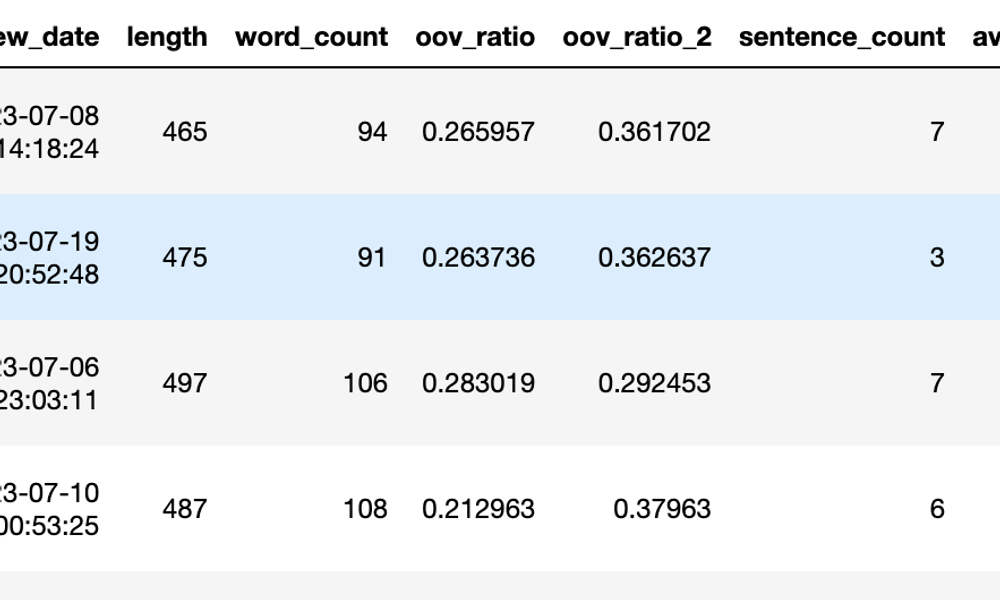
Voila! In just a couple minutes, Heimdall has taken one column from your original data & expanded it to 18 more data rich columns. You now have a starting point to begin your data analysis. You can even modify the data further and take it to Heimdall's Core ML engine to build a model to do things predict customer rating or even a classify each rating to a particular type.
Closing Notes
Thanks for following along with Project Ymir! This is just the beginning of a very exciting roadmap that will change the way we approach data problems. The world is full of unstructured data and the Heimdall ML team is on a mission to convert those data points to tabular, structured ones that can help drive innovation in all sectors.
Heimdall – Harness the Power of ML
Heimdall is an automatic machine learning platform that gives you (and your team) a ML backend to build incredible user experiences that are powered by machine learning. It offers quick and efficient model building with even quicker model deployment. Heimdall allows your teams to quickly ideate and build out ML products 80% faster.
Heimdall scales from weekend projects to enterprise needs. Contact us today to be ready to compete in the digital age.